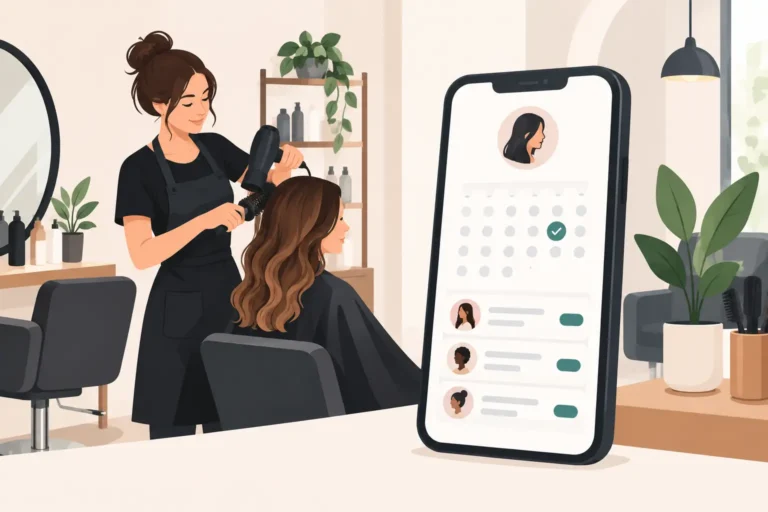
A client messages at 10pm asking for a colour appointment next Thursday. Another cancels 40 minutes before their slot. Meanwhile, your team needs to know who is working late on Saturday. Hairdresser booking platforms bring these moving parts into one place, so the diary is not dependent on you replying to every message.
The right system does more than put a booking button online. It should help you protect time, keep clients informed and make decisions from a clear view of your day. For a UK salon, that usually means looking beyond the headline price and asking whether the platform works for the way your business actually operates.
What hairdresser booking platforms should solve
A booking system earns its place when it removes repetitive admin without making the client journey awkward. Clients should be able to see available services and book at a time that suits them, even when the salon is closed. You and your team should then see an accurate, up-to-date diary rather than chasing confirmation messages across different apps.
The basics matter: online booking, service durations, staff availability and client records. But the day-to-day value often comes from the less glamorous tools. Automated appointment confirmations and reminders can reduce missed appointments. A waitlist can turn a late cancellation into a booked slot. Staff scheduling prevents a client choosing a time with someone who is not working.
Not every salon needs every feature on day one. A chair renter may prioritise a simple personal diary and reminders. A busy salon with several stylists needs visibility across staff, services and opening hours. Choose for the problems you have now, while leaving room for the business you expect to run in six months.
How to compare hairdresser booking platforms
Start with your current booking process. If most appointments arrive through Instagram messages, phone calls and walk-ins, calculate the time spent responding, copying details into a diary and following up on missed appointments. That shows where software needs to help.
Then compare platforms on the workflow, not just a feature checklist. A system may offer online booking, for example, but still make it difficult to set different service times for a cut and finish, balayage consultation or children’s trim. Test the booking journey as though you were a new client. Can you find the right service quickly? Does the available time make sense? Is the confirmation clear?
Booking rules that match your services
Hair appointments are rarely one-size-fits-all. A fringe trim, a skin fade and a full colour correction demand different amounts of time, preparation and follow-up. Your platform should let you set realistic durations, assign services to the right team members and control when appointments can be booked.
Look at buffers too. You may need time for cleaning, consultation or simply catching up after a longer colour service. Without sensible booking rules, online availability can create a diary that looks full but is impossible to deliver comfortably.
Staff schedules without diary confusion
A shared calendar is useful only if it reflects real working patterns. Check whether you can set regular shifts, days off and different availability for each stylist. This is particularly important where some team members work part-time, rent a chair or offer specialist services on limited days.
Make sure everyone knows what they need to see. A salon owner may need the full diary, while a stylist may only need their own appointments and client notes. Clear access helps staff stay organised without exposing more information than necessary.
Reminders, cancellations and waitlists
No-shows are costly because the loss is not just the service value. They disrupt the day and leave staff with a gap that may be too short to fill. Automated reminders give clients a timely prompt and reduce the need for manual chasing.
Cancellations will still happen. The useful question is what happens next. A waitlist lets interested clients hear about newly available appointments, giving you a practical route to fill gaps. Ask whether the process is easy to manage and whether you can control which services or times are offered. An overcomplicated waitlist may create more admin than it saves.
Client records that are useful at the chair
Client records should help deliver better appointments, not become another form to complete. At minimum, you want reliable contact details, appointment history and notes that help a stylist prepare. For colour clients, accurate past-service information can be particularly valuable.
Consider how quickly staff can find this information on a busy day. If it takes several screens and a search, it is less likely to be used when it matters.
Features to assess before you commit
Use a free trial or free plan to test a normal week, rather than judging the software from a sales page. Create your services, add staff availability and make a few test bookings from a client’s point of view. Pay attention to the questions that arise during setup. If simple changes feel difficult before launch, they may remain difficult later.
| Area | What to check | Why it matters | |—|—|—| | Online booking | Service menus, durations, staff selection and availability | Clients book the right slot without needing a follow-up message | | Diary management | Daily, weekly and staff views | The team can see what is happening at a glance | | Automated reminders | Confirmation and reminder options | Fewer manual messages and fewer forgotten appointments | | Cancellations | Cancellation settings and waitlist controls | You have a better chance of refilling empty time | | Client records | Notes, history and contact details | Appointments feel more prepared and personal | | Pricing | Monthly cost, plan limits and optional extras | You can budget without surprises as the salon grows |
Price deserves a careful look. The cheapest option is not always the best value if it lacks the features that save you the most time. Equally, an expensive platform can be hard to justify for an independent hairdresser who only needs a clear diary, online bookings and reminders.
Ask what is included at each plan level, what happens when your team grows and whether you can leave easily if the system stops fitting. Avoid signing up based solely on a large feature list. The best choice is the one your team will use consistently.
Common mistakes when choosing a booking system
One common mistake is building an overly complicated service menu. Clients do not need to see every internal variation you use when planning a colour appointment. Keep names clear, use descriptions where needed and make the path to booking straightforward. You can always refine the menu after seeing what clients select.
Another is turning on online booking without agreeing rules with the team. Decide how far ahead clients can book, how much notice is needed for cancellations and who owns diary changes. Consistency protects the client experience and avoids awkward conversations at reception.
It is also easy to assume a platform will solve no-shows by itself. Reminders help, but the wider process matters. Make sure clients receive the right information, know how to cancel or rearrange, and understand your salon’s policy before the appointment day.
Finally, do not overlook setup time. Moving client details and recreating services takes effort. Set aside a quiet period to get it right, then ask a few trusted clients or staff members to test the booking flow before you share it widely.
A practical option for UK salons and independent stylists
UpTor is designed for salons, barbers and beauty professionals that want online bookings, staff scheduling, client records, automated reminders and waitlist management without unnecessary complexity. Its free plan gives smaller businesses a way to put a structured booking process in place before committing to a paid plan.
For a salon comparing alternatives to larger booking marketplaces, the key question is control. Think about how you want clients to book, how your staff work and how much time you currently lose to diary admin. A platform should support those choices rather than force you into a process that does not suit your business.
Start small if you need to. Set up your most popular services, establish clear availability and let your regular clients try online booking first. Once the diary is working for your team, it becomes easier to spend less time managing appointments and more time looking after the people in the chair.