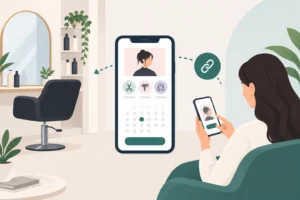
Running a salon means balancing precision with flexibility. Cuts can run to time, colour services can need longer blocks, and last-minute changes are part of the job. Add in solo working, shared chairs, part-time staff and no-shows, and a simple paper diary can quickly become hard to manage.
A well-structured hair salon booking system helps you organise the day without turning your workflow into admin. The right setup should reflect how your salon actually works: who takes which services, how long each appointment needs, how clients move through the booking journey, and how you keep everyone informed.
This guide looks at the practical side of choosing and setting up booking software for hair salons and independent hairdressers in the UK. It focuses on everyday scheduling decisions, not on glossy features you may never use.
What makes a hair salon diary complex
Hair appointments are rarely uniform. A trim might take one slot, a restyle another, and a colour service may require a very different booking pattern altogether. Even when two appointments look similar on paper, they may not behave the same in practice because of consultation time, processing time, finishing, or whether a client is new.
That is why many salons outgrow a basic diary. You are not just entering names into a calendar. You are managing service lengths, staff capacity, breaks, room or chair availability, and the order in which clients can be seen. A robust hair salon booking system should help you reflect those real-world differences clearly.
Solo hairdressers often need a system that keeps the day tidy without adding unnecessary steps. Larger salons may need to coordinate multiple stylists, overlapping services and shared resources. In both cases, the booking process should make it easier to see who is free, what is booked, and where gaps or clashes might appear.
Features to look for in a salon system
When comparing options, start with the essentials rather than the nice-to-haves. A practical salon system should support the way your team books, confirms and manages appointments day to day.
Look for a digital calendar that is easy to read on desktop and mobile, especially if you move around the salon floor or work across more than one location. A shareable online booking link can reduce back-and-forth for clients who want to book outside opening hours. That is particularly useful for independent stylists who want a straightforward way to offer online booking for hair salons without juggling messages manually.
Client and service records are also important. These help you keep useful appointment history in one place, so you can see what a client usually books and note relevant details for future visits. For hairdressing businesses, that can support more consistent service without relying on memory alone.
Other useful features include automated reminders, waiting-list management and arrival confirmations. Reminders can help clients keep appointments in mind, while a waiting list gives you a way to fill gaps when someone cancels. Arrival confirmations can help the front-of-house process feel more organised, especially during busy periods.
If you want to read more about booking tools across appointment-led businesses, the Uptor blog is a useful place to start. There is also a helpful overview of booking software for related service businesses at appointment scheduling for beauty salons.
Structuring services and stylist availability
Service setup is where many salon diaries either become genuinely helpful or stay frustratingly clumsy. The goal is to make it simple for your team to choose the right appointment length and for clients to book into realistic time slots.
Start by separating your service menu into clear categories. Common examples include cuts, blow-dries, colour services, consultations and finish work. Each category should have a defined duration based on how you work, not just on the name of the service. A cut and finish may be straightforward, while a colour appointment might need extra time for application, processing or post-colour styling.
For colour services, think carefully about how you want bookings to appear in the diary. Some salons prefer one long appointment block, while others split the process into stages. Either way, the aim is to prevent confusion and make sure the appointment fits the actual workflow.
Stylist availability should be just as deliberate. A solo hairdresser may only need one diary with clear breaks. A team salon may need separate schedules for each stylist, plus rules around shared appointments or services that only certain team members can offer. If the system allows you to organise availability sensibly, it becomes much easier to protect your time and avoid double-booking.
Think too about how you handle movement through the day. If one stylist finishes earlier than expected, can you use the spare time productively? If a colour client arrives late, can you see at a glance what follows afterwards? These are small details, but they shape how calm or chaotic the day feels.
Solo and team workflows in the salon
A hairdresser booking system needs to work for both single-chair businesses and busier salons with several stylists. The key difference is how much coordination is required.
For solo professionals, the most important thing is clarity. You want a diary that shows the whole day in one view, with enough detail to manage consultations, treatment timing and personal breaks. The system should make it easy to keep control without forcing you into constant phone checks or message replies.
For teams, the diary needs to support visibility across everyone’s schedules. Managers may need a view of the full salon appointment diary, while individual stylists need access to their own commitments. This helps reduce confusion over who is available and when. It also makes it easier to adjust when someone runs late, swaps a slot or takes a last-minute cancellation.
Different roles can benefit from different levels of access. Reception or admin staff may need to book on behalf of clients, while stylists may only need to manage their own schedule and records. A clean workflow keeps the team aligned without overcomplicating the process.
It also helps if your booking process is consistent. Clients should not have to relearn how to book depending on which stylist they choose. The more predictable the experience, the easier it is for everyone to use.
Moving the team to a new booking process
Switching systems is often more about habits than software. Even a good booking platform can feel awkward at first if the team is not introduced to it properly. A staged approach usually works better than changing everything in one go.
Begin by mapping your current diary and service menu. Identify the appointment types you use most often and decide how they should appear in the new system. This is the moment to tidy up unclear service names, inconsistent durations and any bookings that are being handled differently by different team members.
Next, import or recreate your active client records and future appointments in a structured way. Keep the process simple. It is better to start with the core services and basic availability than to rush in with every possible rule from day one.
A useful staged adoption checklist might look like this:
- confirm your service list and appointment lengths
- set each stylist’s working hours and breaks
- add client records and upcoming bookings
- test the booking journey from the client side
- check reminders, confirmations and waiting-list settings
- train the team on daily use before going fully live
- review the diary after the first busy week and adjust what is not working
It is also worth deciding how you will communicate the change to clients. Some will be happy to book online straight away, while others may still prefer a call or message. A gradual transition often feels more natural and avoids unnecessary disruption.
How Uptor can support salon scheduling
Uptor is designed for appointment-led businesses that want a straightforward digital diary and booking process. For salons and independent hairdressers, that means a shareable online booking link, a digital calendar, client and service records, automated reminders, waiting-list management, arrival confirmations and analytics.
It works on desktop and mobile, so you can keep track of appointments whether you are at the desk or on the salon floor. It also supports solo professionals and teams, which makes it suitable for both independent stylists and busier salons with several people managing the diary.
Used well, a system like this can help you keep service lengths visible, manage stylist availability more clearly and reduce the friction around changes to the day. It will not replace the judgement that goes into running a good salon, but it can give you a calmer, more organised base to work from.
If you are exploring hair salon booking system options and want something practical rather than overcomplicated, you can start with Uptor’s free plan and see whether it fits the way your salon already works. There is no need to overhaul everything at once; it is often easier to begin with one diary, one service menu and one clear booking flow, then build from there.
To explore the product, visit Uptor.
Practical hair salon diary guides
For more detailed planning, read how to set realistic colour appointment buffers and how to coordinate consultations with later salon appointments.
FAQ
How does a hair salon booking system work?
It brings appointments, availability and client details into one place. Clients can usually book through a shared link, while the salon team uses the diary to manage schedules, records and reminders.
Can it handle services with different durations?
Yes, if you set up your service menu carefully. Cuts, colour work and consultations can each have their own timings so the diary reflects how long the appointment really needs.
What is the best way to move an existing salon diary?
Start with your core services, working hours and active client bookings. Test the new setup with the team first, then bring clients over in stages so you can spot any issues early.
Do I need a different setup for solo and multi-stylist salons?
Usually, yes. A solo business needs clarity and simplicity, while a team salon needs better visibility across multiple diaries and staff schedules.
What should I check before going live?
Check service names, appointment lengths, availability, reminders and how the booking journey looks from the client side. A short test period can save a lot of confusion later.