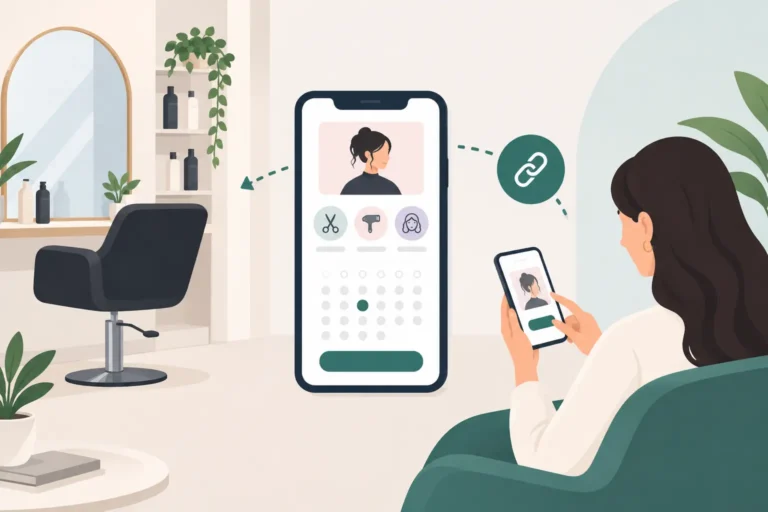
A client messages at 9.30pm asking whether you have a cut and colour slot on Saturday. By the time you see it, they have booked elsewhere. An online booking link for salons gives that client a clear route to your live availability, without asking you to reply after hours or interrupt a service to check the diary.
It is a small change with a practical effect. Instead of handling every appointment through calls, DMs and back-and-forth messages, you give clients one place to choose a service, find a suitable time and book. Your diary stays more accurate, your team spends less time on admin, and clients can arrange appointments when it suits them.
What an online booking link for salons needs to do
At its simplest, a booking link is a web address that opens your online booking page. You can add it to your Instagram bio, Google Business Profile, website, Facebook page, emails and client messages. Wherever a client finds your salon, they should be able to move from interest to booking in a few taps.
The link itself is not the whole answer. The booking page behind it needs to reflect how your business actually works. That means showing the right services, durations, staff members and available times. A client booking a quick fringe trim should not be offered the same time allowance as someone booking a full balayage and finish.
A useful salon booking system should also prevent avoidable diary mistakes. It needs to account for staff rotas, working hours, time off and the length of each service. For businesses with several team members, clients should be able to choose a preferred stylist or barber where appropriate. For solo professionals, the focus is usually on keeping one diary clear and manageable.
Do not treat your booking link as a replacement for all client contact. Some colour corrections, bridal bookings and first-time consultations need a conversation before an appointment is confirmed. The sensible approach is to make standard, bookable services available online while keeping more complex work enquiry-only.
Start with the services clients understand
A booking page works best when it is easy for a client to recognise what they need. Service names should be plain and specific. “Cut and blow-dry” is clearer than an internal salon term that only your team uses. Add a short description where there is a genuine risk of confusion, especially for colour services, extensions, nail art or treatment add-ons.
Think carefully about service duration. Underestimating time may make your availability look generous, but it creates late-running days and stressed staff. Overestimating every appointment can leave unnecessary gaps. Review timings after a few weeks and adjust them based on real appointments rather than guesswork.
It also helps to separate services that sound similar but require different preparation or pricing. A barber may need distinct options for a skin fade, beard trim and a combined haircut and beard service. A nail technician may need separate choices for gel removal, builder gel infills and extensions. Clear options reduce booking errors before they reach your diary.
Put the link where clients already look
A booking link hidden on an old website page will not do much for your schedule. It should be visible in the places clients use to contact or research you. For most UK salons and independent beauty professionals, that includes social profiles, your website header, your Google Business Profile and post-appointment messages.
Use direct wording around the link. “Book your next appointment” is more useful than “contact us”. If you promote a particular service on Instagram, mention that clients can use the booking link to check availability. If you send a reminder that an appointment is due, make the next step obvious.
There is a balance to strike. Posting the link everywhere will not fix a confusing booking setup. First make sure the page has accurate availability and clear services. Then give clients consistent access to it. When clients know where to book, they are less likely to send a message asking a question the booking page could answer.
Build rules around your real working day
Online booking should create order, not hand control of your schedule to an algorithm. Before publishing your link, decide the rules that protect how you work.
Set your normal opening hours and each team member’s availability. Add breaks, training, holidays and any regular time you keep free for admin. If you need time between certain services for cleaning, consultation or preparation, build that into the service duration or availability rules.
Consider how far ahead clients can book. A busy salon may welcome bookings months in advance, while a freelancer with an evolving schedule may prefer a shorter window. Likewise, you may want to stop same-day online bookings if you need notice to prepare. There is no universal setting that suits every business. The right choice depends on your staffing, service mix and how predictable your diary is.
Cancellation settings deserve the same care. Clients need clear instructions, but your policy should be realistic and consistently applied. Automated confirmations and reminders can support this by giving clients the appointment details well before the slot. They will not eliminate every no-show, but they reduce the number caused by simple forgetfulness or crossed wires.
Use confirmations, reminders and waitlists together
A booking link gets the appointment into the diary. Good client communication helps keep it there.
An automatic confirmation gives the client confidence that their booking is recorded correctly. A reminder closer to the appointment gives them a chance to check the date, time, location and service. This is particularly useful for clients who booked weeks earlier or have busy family and work schedules.
Cancellations will still happen. The goal is to hear about them early enough to do something useful with the time. If your booking system includes a waitlist, clients can register interest in a sooner appointment. When a suitable slot becomes available, you have a more organised way to fill the gap than posting a last-minute story and hoping the right person sees it.
The details matter here. A waitlist is most helpful when it can match clients with the right staff member, service length and preferred days. There is little value in offering a 30-minute opening to someone waiting for a three-hour colour appointment.
Choose software that fits the size of your business
A booking link should not force a small salon into an overly complicated system. You need enough control to manage services, staff schedules, client records, reminders and cancellations, without spending hours learning software that was built for a much larger operation.
When comparing salon booking software, look beyond the appearance of the booking page. Ask whether you can update availability quickly, see the full diary easily, keep client notes in one place and manage different staff schedules. Check what is included on the plan you are considering, particularly if you are moving from paper diaries, social media messages or another platform.
It is also worth considering how much ownership you retain over your day-to-day booking process. A booking link that you can place across your own channels gives clients a direct route to your business. This can be a practical alternative for salons assessing options alongside platforms such as Fresha or Booksy.
UpTor is designed for UK salons, barbers and beauty professionals that want online bookings, staff scheduling, client records, appointment reminders and waitlists in one straightforward system. Its free plan can be a sensible starting point if you want to test a more organised way of taking bookings before committing to a paid plan.
Check the client journey before sharing it
Make a test booking on your own link as if you were a new client. Use a phone, not only a desktop computer. Can you understand the services? Are the available times sensible? Does the confirmation contain the information a client needs? This short check often spots issues that are easy to miss from the business side.
Then review your setup regularly. Add new services when you launch them, remove options you no longer offer and update staff hours promptly. An online booking link earns trust when it matches reality. If clients repeatedly find unavailable staff, incorrect prices or unsuitable slots, they will return to messaging you instead.
The best booking link feels unremarkable to clients because it is so easy to use. For you, that quiet convenience means fewer interruptions, clearer days and more time spent doing the work clients actually come to you for. Set it up around the way your salon runs, share it confidently, and let your diary do more of the admin.