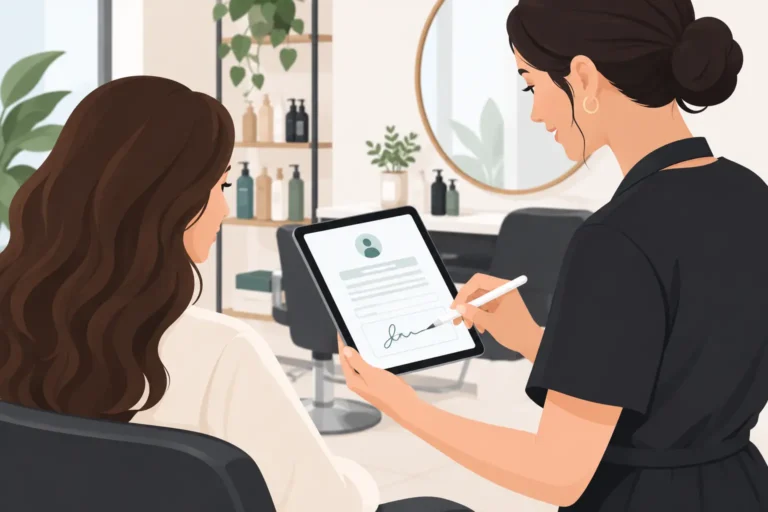
A client arriving for a colour correction, chemical peel or patch test should not be handed a clipboard while your next appointment is waiting at the desk. Digital consent forms for salons give you a clearer way to collect essential information before treatment, keep a record against the client profile and spend less time chasing paperwork.
They are not simply a digital version of a waiver. A useful form helps a client understand what they are agreeing to, gives your team the information needed to work safely and creates a record you can refer back to if questions arise later. Done badly, it becomes a long, confusing barrier that clients ignore or complete without reading.
Why salons are moving consent online
Paper forms are easy to lose, difficult to search and awkward to update. If a client visits regularly, staff may need to leaf through old paperwork to check allergies, medical information or whether a patch test has been recorded. That wastes time and increases the chance that important details are missed.
A digital form can be sent before an appointment or completed on a phone or tablet in the salon. The answers can sit with the client record, making them easier to find when the client returns. It also gives you a consistent process across the team, whether you run a one-chair studio or a salon with several therapists and stylists.
The timing matters. Sending a form when someone books a high-risk or consultation-led service gives them time to consider the questions properly. It can also flag whether a patch test, consultation or follow-up call is needed before their appointment. For routine services, asking for a short update periodically may be more sensible than asking a client to repeat the same form every visit.
What digital consent forms for salons should include
The right questions depend on the treatment. A form for a haircut does not need the same detail as one for laser treatments, advanced facials, tinting or chemical services. Avoid the temptation to use one oversized form for every service. Clients are more likely to complete relevant questions, and your records will be easier to use.
Client and treatment details
Start with the basics: the client’s name, date of birth where relevant, contact details, the service being considered and the date. For a treatment following a consultation, include enough detail to identify the agreed plan, such as the product type, area being treated or proposed colour process.
This does not need to read like a contract. Clear labels and plain English are better than dense legal wording. If staff will add notes after the appointment, make it clear which fields are client-completed and which are for the salon team.
Health, allergy and suitability questions
Ask only for information genuinely needed to decide whether a treatment is suitable and can be carried out safely. Depending on the service, that may include allergies, skin conditions, medications, pregnancy, recent procedures or previous reactions.
Health information is particularly sensitive personal data. Treat it with care. Explain why you are asking, restrict access to people who need it for their work and do not collect a long medical history just because a template includes it. If an answer suggests the treatment should be delayed or referred elsewhere, your team needs a clear process for what happens next.
Risks, aftercare and client acknowledgement
Clients should be told about realistic risks, expected results, possible side effects, aftercare and when they should contact you or seek medical advice. For example, a chemical treatment form may cover sensitivity and hair condition; a facial form may explain temporary redness or irritation.
Consent is stronger when the client has been given understandable information and a genuine chance to ask questions. A tick box saying “I agree” is not a substitute for an appropriate consultation, especially for services with more significant risks. Record that aftercare was provided, and consider giving the client a copy or a clear way to access it.
A declaration and date
Finish with a declaration that confirms the client has provided accurate information, understands the treatment and has had the opportunity to ask questions. Capture the date and a clear confirmation action, such as a typed name, signature field or tick box, according to the system and the level of assurance you need.
For some treatments, you may also need the practitioner’s name and confirmation that the consultation took place. Check the requirements of your insurer, local authority licence conditions and professional body where applicable. These can be more specific than a general online template.
Consent for treatment is not the same as GDPR consent
This distinction catches many businesses out. A client agreeing to a treatment is not automatically the same as agreeing to marketing emails, text offers or the use of photographs on social media.
Keep optional permissions separate. If you want to send promotions, ask for a clear marketing choice that is not pre-ticked. If you wish to use before-and-after images, get specific permission for that purpose and make it easy for the client to decline. Do not make treatment conditional on agreeing to marketing.
You also need a lawful basis for holding and using personal data under UK GDPR. Consent may be appropriate in some situations, but it is not always the correct basis for managing an appointment or maintaining records required for safety, insurance or legal reasons. A privacy notice should explain what information you collect, why you use it, how long you keep it and who can access it.
This article is practical guidance, not legal advice. If you offer regulated, invasive or higher-risk treatments, get advice tailored to your business, insurance and local requirements.
Build a process your team will actually follow
The form is only one part of the process. Decide when it is sent, who reviews it, where concerns are recorded and how staff know a form needs updating. Without this, digital paperwork can become another task sitting unread in the diary.
For example, a new tint client may receive a consultation and patch-test form when they book. A team member reviews the answers before confirming the colour appointment. On the day, the stylist checks the record, asks whether anything has changed and adds treatment notes. This is more useful than collecting a form once and never looking at it again.
Review intervals should match the service. A client’s medication, allergies and skin condition can change, while a repeat haircut may need little more than confirmation that their contact details remain correct. Set a sensible policy rather than relying on memory.
Keep forms short, accessible and secure
A good mobile form is easy to complete in a few minutes. Use straightforward questions, make required fields genuinely necessary and avoid asking clients to type the same information twice. If a question needs explanation, add a brief note in plain language.
Accessibility matters too. Some clients may need larger text, extra time, verbal support or an alternative way to provide information. A digital-first process should not exclude someone who cannot comfortably use a phone. Staff should know how to help without rushing or answering on the client’s behalf.
Security is just as practical as convenience. Give staff access only to the records they need, use individual logins where possible and avoid leaving a shared tablet open to client records. Have a retention policy for treatment and consultation records, then securely delete information you no longer need. The correct retention period depends on the treatment, insurance and legal obligations, so do not choose one at random.
Connect consent with the booking journey
The most effective setup puts consent at the point where it helps decisions, rather than making it an afterthought. Your booking process can identify services that need a form, consultation or patch test before an appointment is confirmed. Reminder messages can prompt clients to complete outstanding information before they arrive.
A booking and salon management system should also make it easier to keep client notes, appointment history and communications organised in one working routine. UpTor is worth considering for UK beauty businesses that want simpler online booking, client records, automated reminders and waitlists alongside their day-to-day diary management. Before choosing any software, check how it handles forms, client access, record storage and staff permissions for the services you provide.
Start with the treatments where incomplete information carries the greatest risk, then refine the questions based on what your team actually needs. A clear form, reviewed at the right time, gives clients more confidence and gives your salon a calmer, better-informed way to work.