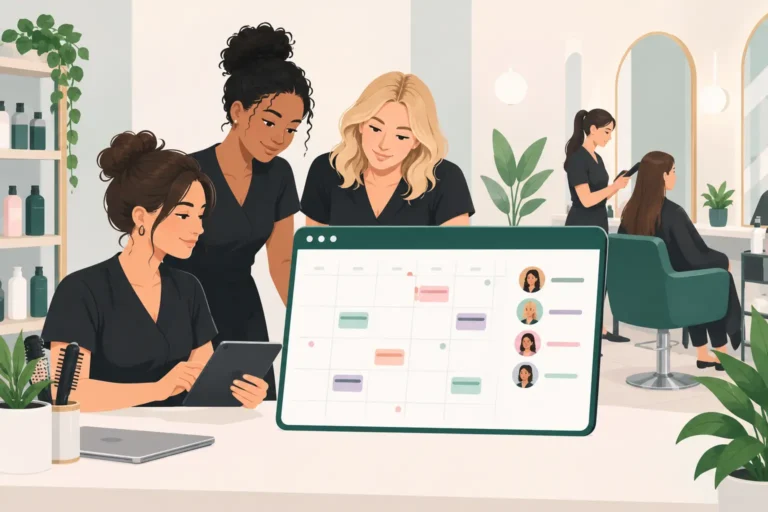
A paper diary can work when you are taking a handful of appointments each week. It becomes much harder when clients book at different times, staff work changing shifts and cancellations leave awkward gaps. The best salon calendar tools UK businesses choose do more than show appointments – they give you a clearer view of the working day and less admin to chase.
For a salon, barbershop, nail studio or independent beauty business, the right calendar should help you see who is due in, who is available and what needs attention next. It should not create another system for you and your team to keep updated.
What a salon calendar tool should actually solve
A salon calendar is not just a digital version of a wall planner. At its best, it brings bookings, availability, staff schedules and client information into one place. That matters because a diary error can quickly affect the whole day: a double booking, an unavailable stylist booked in by mistake, or a cancelled treatment slot nobody notices.
The practical aim is simple. Clients should be able to book suitable slots without ringing the salon, while you retain control over when, with whom and for which services they can book. Your team should also be able to check their day without repeatedly asking who is next.
For most UK beauty businesses, these are the features worth prioritising:
- A live diary that updates as bookings are made, changed or cancelled.
- Online booking that reflects your actual availability and service durations.
- Individual staff calendars, working hours and time-off settings.
- Automated confirmations and appointment reminders to reduce missed visits.
- Client records that make repeat appointments and personal service easier.
- A waitlist or cancellation-filling process for popular times and last-minute gaps.
You may not need every possible feature on day one. A self-employed nail technician may care most about online booking and reminders. A salon with six chairs may need clearer staff rotas and permissions as well. Choose for the pressure points in your current working week, not for a long features list you may never use.
Best salon calendar tools UK businesses can consider
There is no single best system for every business. The right choice depends on your team size, the way clients find you and how much control you want over your diary. Most options fall into three broad groups.
| Type of tool | Best for | Watch out for | |—|—|—| | General calendar apps | Sole traders with very simple schedules | They are rarely built for services, client records or online booking rules | | Marketplace-led booking platforms | Businesses wanting access to a consumer booking audience | Your business may need to work within the platform’s listing, pricing and customer journey | | Dedicated salon booking software | Salons and beauty professionals managing bookings, staff and clients | Check that the plan and features match your current stage of growth |
General calendar apps
A standard digital calendar is familiar and often inexpensive. It can show appointments, personal commitments and staff availability at a basic level. If you work alone and only take bookings manually, it may be enough for a short time.
The limitation appears when a client needs to book at 10pm, changes their appointment, or expects a reminder before their visit. You will usually be updating availability yourself and using separate tools for messages and client notes. That can be manageable, but it creates more opportunities for details to be missed.
Marketplace-led platforms
Platforms such as Fresha and Booksy can suit businesses that want a presence where clients browse local services. They typically combine a business calendar with consumer-facing discovery. For some salons, that route can help attract appointments, particularly when establishing a local name.
However, it is worth separating two questions: do you need more new-client discovery, or do you mainly need a better system for your existing client base? If repeat clients already know you, a tool focused on your own booking page, diary and client communication may be a more direct fit. Read the commercial terms carefully and understand how bookings, client relationships and optional services are handled before committing.
Dedicated salon booking software
This category is designed around the day-to-day reality of beauty appointments. Rather than adapting a general calendar, you can set up services, durations, team schedules, booking availability and client details in the same system.
For UK independent professionals and small-to-medium teams, simplicity matters as much as capability. The best software is not the one with the most settings. It is the one your team can use confidently during a busy Saturday, while clients can book without needing help.
UpTor is one option for businesses that want online bookings, staff scheduling, client records, reminders and waitlists in one straightforward system, with a free plan available to get started. It is particularly relevant if you want to reduce diary admin without building your workflow around a marketplace.
How to choose a salon calendar without making the switch painful
Start by mapping a normal week. Look at how appointments arrive, who enters them, how staff hours change and what happens after a cancellation. This exposes the gaps that software should fix.
If the receptionist spends time replying to booking messages, online booking should be high on your list. If no-shows are your biggest frustration, focus on confirmation and reminder options. If empty slots are the problem, look closely at whether the waitlist process is practical for both you and clients.
Then test the calendar view itself. Can you see the whole team at once? Is it easy to spot breaks, blocked-out time and overlapping appointments? Can a service be assigned to the right person based on their hours and skills? These sound like small details, but they determine whether the system makes the day calmer or more complicated.
It is also sensible to consider how you will move over. You may need to add services, prices, staff hours and regular clients before opening online booking. Set aside time for this rather than trying to do it between appointments. A short, planned setup is usually less disruptive than a gradual switch where two diaries run side by side for too long.
Questions to ask during a free trial
A free trial or free plan is useful only if you test real situations. Create a few services with the correct durations. Add staff working patterns, including a late evening or a day off. Make a test booking, move it, cancel it and check what the client communication looks like.
Ask yourself whether the booking journey gives you enough control. Can you decide how far ahead clients book? Can you protect time for consultations, cleaning or lunch? Can you stop a longer service being squeezed into a short gap? A calendar that looks tidy but ignores these rules will still cause problems.
Check the client side too. Booking should be clear on a mobile phone, because that is where many appointments are made. Clients should understand what they are booking, how long it takes and when they are expected to arrive. Fewer unclear bookings means fewer awkward calls later.
Finally, involve the people who will use it. A salon owner may love the reporting view, but stylists need to find their appointments quickly and front-of-house staff need to reschedule without confusion. Their feedback is often the fastest way to spot whether the tool suits your actual workflow.
Avoid paying for complexity you do not need
It can be tempting to choose the biggest package because it appears more future-proof. Yet an overcomplicated system can slow down adoption, particularly in smaller teams where everyone is already busy with clients.
Start with the essentials: a shared live calendar, online booking, staff availability, client details and reminders. Add more only when there is a clear reason. You can always grow into more advanced functions, but it is harder to recover from a system that the team avoids using.
Also look beyond the monthly headline price. Consider the time spent on setup, training and day-to-day administration. An affordable calendar that removes repetitive booking messages and helps prevent missed appointments can be better value than a cheaper tool that leaves you doing the work manually.
Your calendar should give you a dependable view of the day before the first client walks through the door. When bookings, availability and client communication are organised in one place, you have more time to focus on the service people came back for.