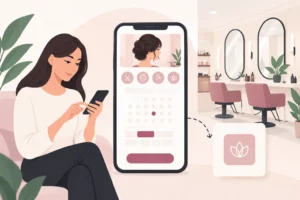
A handwritten appointment book can hold a salon together – until the phone rings while you are with a client, a team member changes their hours, or someone books online late at night. To replace paper diary in salons successfully, the goal is not to add more technology for its own sake. It is to make bookings, client communication and the working day easier to manage.
For many UK salons, barbers and independent beauty professionals, moving to digital booking is less about a dramatic overhaul and more about removing the daily friction caused by crossed-out appointments, double bookings and missed messages.
Why replace paper diaries in salons?
A paper diary is familiar, quick to open and does not need charging. For a sole trader with a small number of regular clients, it can still feel perfectly workable. The problem is that it only shows what was written down at a particular moment. It cannot accept an enquiry at 10pm, remind a client about tomorrow’s appointment or show an available slot to someone waiting for a cancellation.
It also makes shared visibility difficult. If the diary is behind the reception desk, staff cannot always check their own schedules. If the owner takes it home, the team loses access. If two people take bookings by phone and social media at the same time, mistakes are far more likely.
Digital salon booking software puts the live diary in one place. Appointments, staff availability and client details update as changes happen. That gives you a clearer view of the day without relying on memory, messages or a busy reception desk.
What changes when you move to a digital diary
The biggest benefit is control. Clients can book at a time that suits them, while you set the services, durations, staff availability and booking rules. Instead of asking clients to ring back during opening hours, you can allow them to check availability and choose an appointment themselves.
Automated confirmations and reminders can reduce the manual chasing that often comes before a full week of appointments. They will not stop every no-show – illness, forgotten plans and last-minute changes still happen – but they give clients a useful prompt and make it easier for them to contact you if plans change.
A digital system can also build a more useful client record over time. Rather than searching through old pages, you can keep contact details and appointment history together. This is particularly helpful when a client returns after several months and expects you to remember their usual service, preferred barber or previous colour appointment.
For salons with multiple team members, staff scheduling becomes less dependent on one central diary. You can see who is working, where gaps are appearing and whether an appointment can be moved without causing problems elsewhere in the day.
Start with your current booking process
Before choosing software, look at how appointments reach you now. A salon may take bookings through the phone, walk-ins, Instagram messages, WhatsApp and existing clients asking at checkout. A barber may rely heavily on walk-ins but want online booking for quieter weekday slots. A nail technician working alone may simply need a better way to avoid overlapping appointments.
Write down the points where admin slows you down. Perhaps clients cannot get through when you are with someone. Perhaps cancellations are only spotted when it is too late to fill the space. Or perhaps different staff members have separate diaries and there is no reliable overview.
This matters because the best setup depends on your business. A compact independent business may value simplicity above a long feature list. A busy salon with several employees may need clear staff schedules, individual availability and shared access from day one.
Decide your booking rules before switching
Software works best when the rules are clear. Decide which services can be booked online, how much notice clients need to give and whether every appointment needs approval. Think about the gaps you are willing to accept between longer services, too.
For example, a 15-minute fringe trim may be easy to offer throughout the day. A colour correction or a full set of extensions may need more time, a specific team member or a consultation first. Your online diary should reflect how you actually work, rather than forcing your day into generic appointment slots.
How to move from paper to salon booking software
You do not need to recreate years of old diary pages. Start with the information that will help you run the next few weeks well: future appointments, regular clients, staff working hours and the services you offer.
First, set up each service with a realistic duration. Avoid guessing. If a treatment is usually advertised as 45 minutes but requires ten minutes to prepare and clean down, build that into the bookable time where appropriate. An accurate diary is more valuable than an optimistic one.
Next, add staff schedules and planned time off. Make sure every team member understands who updates availability and how changes should be handled. A system only stays reliable if there is one agreed process for sick days, holidays and shift swaps.
Then transfer upcoming appointments from the paper diary. You can do this in stages rather than closing the diary and trying to enter everything in one evening. Begin with the next two to four weeks, check the details carefully and keep the paper version nearby during the changeover.
Finally, tell clients what is changing. A short message at the end of an appointment is often enough: bookings can now be made online, and confirmations and reminders will come through automatically. Put the same clear message on your social profiles, in your salon and in any client communications you already use.
Run both systems briefly, but do not stay there
Keeping the paper diary as a backup for a week or two can reassure staff during the transition. It gives you time to spot service durations that need adjusting or opening hours that have been entered incorrectly.
But avoid running two active diaries for long. If some bookings go into the book and others into the software, you create the very risk you were trying to remove. Choose a clear go-live date. From then on, all new appointments should enter the digital diary first.
During the first month, review the calendar at the end of each week. Look for repeated gaps, services that are consistently running over, frequent rescheduling and clients who still prefer to contact you directly. These are useful signals for refining your booking rules, not signs that the move has failed.
Use reminders and waitlists thoughtfully
Reminders are most useful when they are consistent and give clients enough time to act. If a client needs to rearrange, it is better to know with a reasonable amount of notice than to find an empty chair ten minutes after the appointment was due to start.
Waitlists can help when popular appointments become available at short notice. Instead of posting a cancellation and hoping the right person sees it, you have a clearer way to contact clients who already want that time or service. This will not fill every gap, especially for specialist appointments, but it can make cancelled slots easier to manage.
UpTor is one option for UK beauty businesses that want online bookings, staff schedules, client records, appointment reminders and waitlists in one straightforward system. Its free plan can also make it practical to test whether digital booking suits your business before committing to a bigger change.
Common concerns about leaving the paper diary
Some owners worry that online booking will remove the personal touch. It does not have to. Clients can still ring, message or speak to you in person. The difference is that those appointments are added to the same live diary, so the whole team sees the same availability.
Others worry that clients will book the wrong service. That can happen if your service menu is unclear. Use simple descriptions, sensible booking durations and consultation-only options for treatments that need advice first. Review the first few weeks of bookings and improve anything that repeatedly causes confusion.
There is also a genuine adjustment period for staff who prefer the old book. Give them a chance to use the new diary before launch, show them the everyday tasks they need and listen when they identify a real workflow issue. The aim is not to make staff learn complicated software. It is to give them fewer things to remember while they are looking after clients.
A paper diary may feel safe because it is familiar. But when your bookings, team availability and client communication all need to move quickly, one live digital diary gives your business a firmer base. Start with the next appointment, make the process clear for your team, and give clients a simpler way to come back.