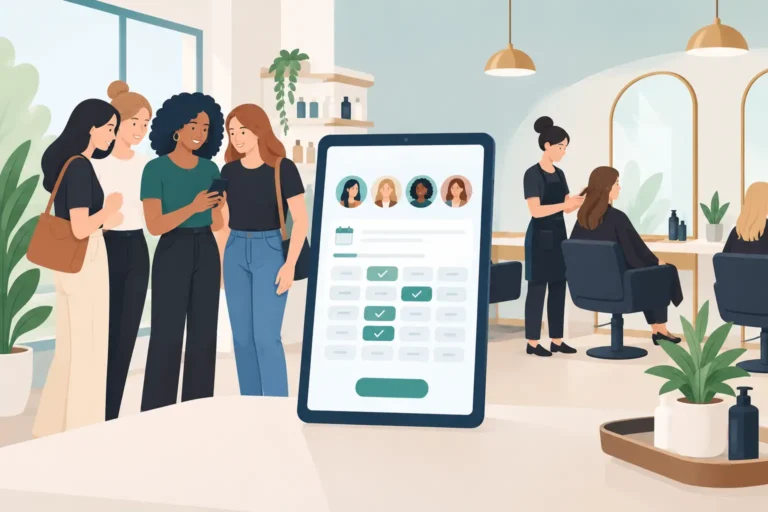
A bridal party of six can fill a morning quickly. It can also create a diary headache: overlapping services, different stylists, one late confirmation and a gap in the schedule that nobody spots until the day before. A group booking system for salons gives you a clearer way to handle these appointments without relying on a string of messages, handwritten notes and crossed fingers.
For UK salons, barbershops, nail businesses and independent beauty professionals, group bookings are not always an everyday request. But when they do arrive, they are often high-value appointments. Wedding parties, prom groups, birthday bookings, team events and parent-and-daughter appointments all need more planning than a standard cut or treatment.
The right booking setup helps you accept those enquiries with confidence while keeping your normal diary under control.
What a group booking system for salons should do
A group booking system is not simply a booking page that lets several clients choose the same time. It needs to account for the real work behind a shared appointment: which services are needed, how long each one takes, which team members can carry them out and whether the group can be accommodated without disrupting the rest of the day.
In a practical setup, the salon should be able to see the group as one booking or enquiry while still creating clear individual appointments for each person. That matters because a blow-dry, gel manicure and brow treatment may all be happening at different times, with different professionals and different durations.
A useful system should help you:
- collect the right details before confirming the booking
- check staff availability and avoid double-booking
- schedule services in a sensible order
- send confirmations and reminders to reduce missed appointments
- keep client notes attached to the right person, rather than buried in a group chat
- respond quickly if one guest cancels or the group size changes
Not every business needs advanced event-management tools. A two-chair barber shop that occasionally books four friends before a wedding needs something different from a large hair and beauty salon handling regular bridal parties. The key is to choose software that makes your usual work easier, not software that adds another process to learn.
Why group appointments create diary problems
A normal appointment is straightforward. One client selects a service, chooses an available time and receives a confirmation. A group appointment introduces dependencies.
If three clients need hair styling at 10am but only two stylists are available, the booking must be staggered. If one guest also wants make-up, you need to know whether the make-up artist is free at the right point in the schedule. A simple slot-based calendar can make this look possible when it is not.
There is also the issue of communication. One organiser may make the enquiry, but each guest may need their own reminder, service confirmation or consultation note. If everyone relies on the organiser to pass details along, changes are more likely to be missed.
The cost of getting it wrong is not limited to an awkward day for the team. Poorly planned group bookings can cause late running, unhappy clients and empty slots elsewhere in the diary. They can also make staff feel as though they are spending the day catching up rather than doing their best work.
Start with the booking journey, not the software
Before comparing salon booking software, decide how you want group bookings to enter your business. For many salons, it is better to treat larger groups as an enquiry first rather than allowing an instant online confirmation.
This gives you time to check the services, staff, timings and practical details. A wedding booking, for example, may need a consultation, a trial appointment or a discussion about where services will take place. An online form can gather the initial information, but the final schedule may still need a person to review it.
For smaller groups, direct online booking can work well if your service menu and team schedules are accurately set up. Think of two friends booking nail appointments together, or a family booking consecutive haircuts. The system should show real availability based on the staff member, treatment length and time already reserved.
A sensible approach is to create clear rules for both situations. Let simple bookings happen online, then route more complex groups to an enquiry process. This keeps the experience easy for clients without giving away control of your diary.
Build schedules around people and services
The best group schedule is rarely one where every service starts at exactly the same time. It is one where clients understand their arrival time, the team know their responsibilities and the appointment finishes when promised.
Begin by recording the exact service requested by each guest. Avoid labels such as “bridal party package” if they hide the actual work required. The schedule needs to show whether someone requires a wash and blow-dry, an updo, full-set nails, lashes or a longer colour service.
Then assign the right team member based on availability and capability. A booking system should reflect each professional’s working hours, booked time and services offered. Otherwise, you may accidentally reserve a treatment with someone who is not trained to provide it or who is due to finish early.
Allow realistic buffers, particularly for consultation, cleaning, late arrivals and finishing touches. There is a trade-off here. Too much buffer makes the diary look less available; too little leaves no room when one appointment overruns. Review your actual service timings after a few group bookings and adjust from evidence rather than guesswork.
Keep confirmations personal, even when the booking is shared
A group organiser is useful, but they should not become the only source of information. Where possible, capture contact details for each guest and make sure the service details are visible in their own appointment record.
Automated appointment reminders and confirmations are especially valuable for group bookings. They give clients a chance to spot an incorrect date, service or time before it becomes a problem on the day. They also reduce the chance that one person simply forgets because they assumed the organiser would remind them.
Client records matter here too. Notes about sensitivities, preferred styles, previous colour history or treatment requirements belong with the individual client. A group booking might be a shared occasion, but the service is still personal.
When plans change, update the appointment as soon as possible. If one guest drops out, release that time back into the diary. A waitlist can then help you fill the newly available slot rather than leaving it empty. This is particularly useful during busy weekends, when a last-minute cancellation may be valuable to another client.
Features worth comparing in salon booking software
When reviewing a group booking system for salons, focus on how it handles the daily details rather than how long the feature list is. The following comparison can help separate useful functions from nice-to-haves.
| What to check | Why it matters for group bookings | |—|—| | Staff calendars | You need to see who is available, when, and for which services. | | Service durations | Accurate timings prevent appointments from overlapping or running into closing time. | | Online booking controls | These let you decide which services or appointment types clients can book directly. | | Confirmation and reminder messages | Clear communication helps reduce no-shows and catches mistakes early. | | Client records and notes | Individual details remain available even when the appointment is part of a group. | | Waitlist support | Cancelled slots can be offered to clients who want an earlier appointment. | | Easy calendar changes | Group plans often change, so staff need to move or edit appointments without confusion. |
It is also worth checking how the system feels for your team. If changing a booking takes too many steps, staff may fall back on paper notes or messages. That creates two versions of the diary, which is exactly what software is meant to prevent.
A practical setup for smaller salons
You do not need a complicated process to manage groups well. Start by creating accurate services, durations and staff schedules. Make sure your team knows which bookings can be accepted online and which should be reviewed first.
For larger groups, use a simple internal checklist before confirming: date and arrival time, each guest’s service, assigned professional, expected finish time, contact details and any special requirements. Keep this information in the booking system where the whole team can see it, rather than in one person’s phone.
Then test the process with a realistic example. Add a four-person booking to a busy Saturday and see whether the diary still works. Can the team understand the plan at a glance? Are there enough buffers? Would a cancellation be easy to manage? A short test reveals problems before a real client does.
For businesses looking for a straightforward option, UpTor brings online bookings, staff schedules, client records, automated reminders and waitlists into one salon management platform. It is designed for independent professionals and growing beauty businesses that want more control over bookings without making admin more complicated.
Choose control over a crowded diary
A full diary is useful only when the appointments in it are realistic. Group bookings should add revenue and loyal clients, not force the team into a day of rushed conversations and avoidable delays.
Set clear rules, keep service timings accurate and use reminders to make expectations visible before clients arrive. When your booking process supports the way your salon actually works, a group appointment can feel like a well-planned occasion rather than a diary risk.