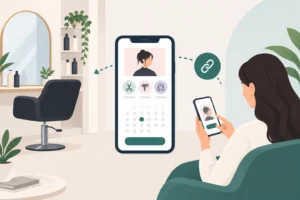
If you run a busy barbershop, the way people book can shape how smoothly the day is managed. A barber online booking link should be easy to find, easy to understand and simple to use from the first tap.
For barbers in the UK, that can matter when you are balancing appointments, walk-ins, late cancellations and last-minute changes. A clear booking link gives clients one obvious route to your diary and can help them get to the right place more quickly.
What makes a barber booking link easy to use?
A booking link works best when the next step is obvious. Clients should be able to open it, understand what it is for and move through the process without unnecessary confusion.
Keep the booking route short and obvious
The fewer steps clients have to work through, the easier the link is likely to feel. Avoid making them hunt through menus or long explanations before they can start.
- Use one clear link rather than several routes.
- Place it where clients are likely to notice it quickly.
- Keep the wording plain, such as “Book an appointment”.
The aim is to make the next step easy to spot.
Make it clear what clients can book
People are more likely to continue when the service choices are easy to recognise. A booking page should use simple labels and a layout that feels easy to scan.
- Use service names that match how clients already talk.
- Avoid jargon where possible.
- Group similar services in a way that makes sense.
If clients can quickly see whether they are booking a skin fade, beard trim, restyle or cut and finish, the page is likely to feel easier to navigate.
Show availability in a simple way
Availability is easier to use when it is presented clearly. Clients should be able to see open slots without having to work hard to understand the page.
- Present available times clearly.
- Make it obvious which slots are open.
- Keep the layout clean on smaller screens.
A simple layout can help the booking route feel more straightforward.
Where barbers should share their booking link
Even a well-made booking link helps only if people can find it. Sharing it in the right places makes it easier for clients to open it when they are ready.
Add the link to your website and bio
Your website and social media bio are often the first places people look. Keep the link visible there.
- Put the link in a clear place on your website.
- Use a short call to action in your bio.
- Keep the same wording across channels where possible.
This can give clients a consistent route whether they are checking you on a laptop or on a phone.
Use it in messages and replies
When someone asks how to book, sending the link straight away gives them one route to follow.
- Keep a saved reply ready for common booking questions.
- Use the same link in Instagram DMs, WhatsApp replies and texts.
- Pair the link with a short sentence explaining what to do next.
That can be useful when you want a simple reply ready to send.
Make it easy to find on mobile
Many clients will open the link on a phone, so the mobile experience matters.
- Make sure the link opens cleanly on mobile.
- Use short text around the link so the page does not feel crowded.
- Check that clients can read the basic information without zooming in.
If the page works well on a small screen, it is likely to feel easier to use on the move.
How a clear booking link helps a busy barbershop diary
A clear booking link can support the diary as well as the client experience. That is especially relevant when you are balancing appointments, walk-ins and changes throughout the week.
Reduces repeated back-and-forth messages
Many barbershops answer the same questions more than once. Clients may ask what is available, when you are free and how to book. A clear link gives them one place to check.
- Clients can view the details for themselves.
- You can point people to one booking route.
- Messages may become shorter and more direct.
That can make it easier to keep booking enquiries in one place.
Supports bookings alongside walk-ins
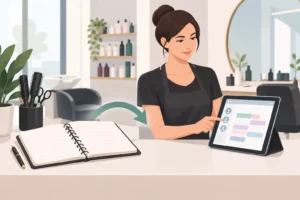
Walk-ins are part of the rhythm of many barbershops. A clear booking system can help you see the booked side of the day more easily, so you can judge where walk-ins may fit.
For more on keeping both sides working together, see our guide to balancing barber walk-ins and online booking.
- Booked slots can sit alongside open periods.
- You can spot where gaps are likely to appear.
- Seeing the diary in one place can help when planning the day.
That may be useful when the shop stays active from opening to close.
Helps clients choose a suitable time without chasing you
Not every client wants to message several times before choosing a slot. A booking link gives them a straightforward route to check options when they are ready.
- They can look at the options when it suits them.
- They do not need to wait for a reply before moving ahead.
- They can choose a time in their own time.
That can be especially practical for repeat clients who already know what they want.
What to include around the booking link so clients finish booking
The link itself is only part of the job. The wording around it also matters. Clear supporting text can help clients understand what to do next.
Service names that are easy to understand
Use service names that make sense to the people booking. If the language is hard to follow, clients may pause and ask instead.
- Use everyday wording.
- Keep similar services clearly separated.
- Avoid long descriptions unless they are needed.
Simple labels can make the page feel easier to scan.
Simple instructions for choosing a time
Once clients reach the booking page, they should know how to move through it. A small amount of guidance can help.
- Tell them to choose a service first.
- Explain that available times will appear next.
- Keep the instruction short and direct.
When the next step is clear, the booking route is likely to feel more straightforward.
A clear next step after the link is opened
Once someone opens the link, they should immediately know what to do. Keep the first screen simple and direct.
- Use a clear heading such as “Book your appointment”.
- Keep supporting text short.
- Make the action easy to follow from the start.
If you also manage late changes, it can help to think ahead about how clients understand your schedule. For example, this guide to barber late cancellation management looks at ways to stay on top of sudden changes.
Using Uptor to share a straightforward barber booking link
Uptor is an online appointment booking and business diary system for appointment-led businesses. It includes a shareable online booking link, a digital calendar, client and service records, automated customer reminders, waiting-list management, arrival confirmations, analytics, support for solo professionals and teams, and access on desktop or mobile. A free plan is available.
Share one online booking link across channels
With one link to share, clients have a single route to your booking page. You can use it on your website, in social bios and in replies to messages.
- One link can keep your booking route consistent.
- It gives clients a single place to return to.
- You can present booking in the same way across channels.
That can be useful when you want the same booking route in more than one place.
Keep your digital diary accessible on desktop and mobile
When your diary is available on desktop and mobile, it is easier to check your schedule from different devices.
- View your schedule from more than one device.
- Check appointments without being tied to one screen.
- Keep your diary available whether you are at the chair or elsewhere.
That flexibility can be useful when you need to check the diary at different points in the day.
Use booking reminders and a waiting list to support the diary
Uptor includes automated customer reminders and waiting-list management. Those features can sit alongside your booking link and diary.
If Saturday is your busiest day, you may also find this useful: barber Saturday appointment diary tips can help when weekends need careful planning.
- Automated reminders can support your booking process.
- A waiting list can help you keep track of interest when spaces open up.
- These features work alongside your digital diary.
If you are comparing options before changing your diary, use this UK barbershop booking-software checklist to review the practical requirements first.
FAQ
Why is a barber online booking link useful?
It gives clients one clear route to book, rather than relying on repeated messages. That makes it easier for them to check availability and choose a time.
Can a booking link help with walk-ins as well as appointments?
Yes. When regular bookings come through a clear link, it is easier to keep the diary organised around walk-ins and see where gaps remain.
How do I stop clients sending the same booking questions again and again?
Use the booking link alongside clear service names and simple instructions, so clients can find what they need without asking for every detail.
What should I look for in a booking link setup for a barbershop?
Look for a setup that is easy to open on mobile, simple to share and straightforward for clients to use without extra steps.
If you want a single, easy-to-share booking link that feels straightforward for clients and easier to manage behind the chair, explore Uptor’s booking tools for appointment-led businesses.