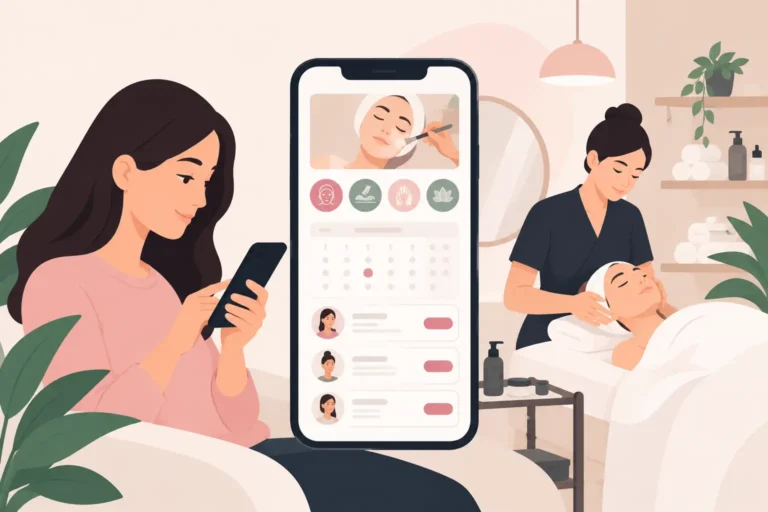
A client messages at 10pm asking for a Saturday brow appointment. Another cancels tomorrow’s facial. Your paper diary is at the salon, and you are trying to remember which therapist is free between colour appointments. A beauty therapist booking app turns these small, repeated interruptions into a clearer working day.
For independent therapists and busy salon owners, the right system is not about adding more technology. It is about giving clients a simple way to book while keeping control of your diary, team availability and client communication. The best choice depends on how you work, but a few features make a meaningful difference from the first week.
What a beauty therapist booking app should solve
A booking app should reduce the time spent moving appointments around, answering routine messages and chasing confirmations. If it merely puts your existing diary on a screen, it may not be worth the monthly cost or the effort of changing your process.
Start with the client journey. A client should be able to see available services and appointment times, choose what they need and book without waiting for a reply. This matters outside salon hours, when many people arrange their next treatment. It also reduces the back-and-forth that happens when an enquiry arrives while you are with a client.
Then look at the operational side. You need one view of bookings, staff rotas and client details, rather than separate notebooks, message threads and calendars. For a sole trader, this may be a simple live diary. For a salon with several therapists, it should make it clear who is available, what treatment they are booked for and where there are gaps worth filling.
The aim is not to remove the personal service. It is to save that attention for consultations, treatment recommendations and the conversations clients remember.
Features that make the biggest difference
Online booking that reflects how you actually work
Your booking setup needs to match your services, not force you into generic appointment slots. Consider treatment duration, preparation and clean-down time, and whether certain services need a particular therapist. A lash appointment, for example, may take very different time from a quick brow tidy, and putting both into the same slot length creates avoidable delays.
Look for control over working hours and availability. You should be able to block out holidays, training, personal appointments and periods when you do not accept bookings. If you work from a home salon, rent a chair or split time across locations, flexibility matters even more.
Automated reminders and confirmations
No-shows are expensive because the lost time cannot usually be sold again at short notice. Appointment reminders and confirmations give clients a useful prompt and reduce the need for manual follow-up.
The detail matters. Reminders should arrive early enough for a client to act, but not so early that they forget again. You also need a clear process for cancelled or changed appointments. Software cannot eliminate every no-show, but it can make communication more consistent and give you a better chance of recovering the slot.
Waitlists for last-minute gaps
Cancellations are part of salon life. The question is whether a blank space stays blank. A waitlist lets interested clients register for an earlier appointment or a particular service, so you have a practical route to filling gaps when plans change.
This is especially useful for sought-after times such as late evenings, Saturdays and the weeks before Christmas. Rather than posting a rushed message and hoping someone sees it, you can contact people who have already shown an interest in booking.
Client records that support better appointments
A client record is more than a contact number. It gives you a place to keep appointment history and the information needed to deliver a more informed service. For therapists, that could include notes from a consultation, product preferences or relevant treatment information handled appropriately.
Good records save time at repeat visits and make handovers easier when more than one team member works with a client. Keep your approach proportionate, collect only what you need and make sure your processes reflect your responsibilities around client data.
Staff schedules without diary confusion
When several people share a salon diary, availability changes quickly. A useful system lets you set each team member’s working hours and see where bookings sit across the day. That makes it easier to avoid double bookings and to spot underused time before it becomes a problem.
For a growing salon, choose software that works well for one therapist now but does not make team scheduling difficult later. On the other hand, do not pay for complicated management tools you will not use. The right fit is usually the system your team can understand and keep updated.
How to choose a booking app for your business
Start by mapping a normal working week. Write down how bookings arrive, who responds, how cancellations are handled and where client details live. The gaps in that process will tell you what to prioritise.
If you are an independent beauty therapist, simple online booking, reminders and a clear client diary may be the essentials. A salon owner may also need staff schedules, separate service availability and a shared view of the day. A barber shop with walk-ins may place more value on seeing live availability, while a nail salon with longer, varied appointments may need careful service timings.
Before committing, test the setup from a client’s perspective. Create a few services, add realistic durations and try to make, move and cancel an appointment. If the process is confusing for you, it is likely to be confusing for clients and staff as well.
Price should be considered alongside time saved, but avoid judging plans on cost alone. Check what is included in the free or entry-level option, whether the features you need are available, and whether you can change plans as the business grows. Also be clear about any features that are not part of the platform, rather than assuming every booking tool handles every part of your operation.
Avoid these common booking-system mistakes
The first mistake is copying a messy paper diary into new software without improving the rules behind it. Decide how far ahead clients can book, how much notice they need to cancel and which services can be booked online. Clear settings protect your time.
The second is making the service menu too complicated. Clients should understand the difference between treatments and know how long to allow. If two names describe nearly the same service, simplify them or add a short explanation.
The third is treating automation as a set-and-forget job. Review your availability before busy periods, update holiday hours and check that new staff members have the right schedules. A booking system is most helpful when the information inside it reflects the salon as it is today.
Finally, tell existing clients about the change clearly. Put the booking process at the centre of your appointment communications and explain why it helps them: they can book when it suits them, receive reminders and manage changes more easily. Most clients adapt quickly when the experience is straightforward.
A practical option for UK beauty businesses
UpTor is designed for salons, barbers, nail technicians and beauty professionals that want a simpler way to accept online bookings, manage schedules and client records, send appointment reminders and confirmations, and use waitlists to respond to cancellations. Its free plan gives smaller businesses a way to try a more organised approach without starting with a large software commitment.
The best time to change your booking process is not when the diary is already unmanageable. Set up a few core services, open the appointments you genuinely want to fill and let clients begin using the new route. A calmer diary is built one clear booking rule at a time.