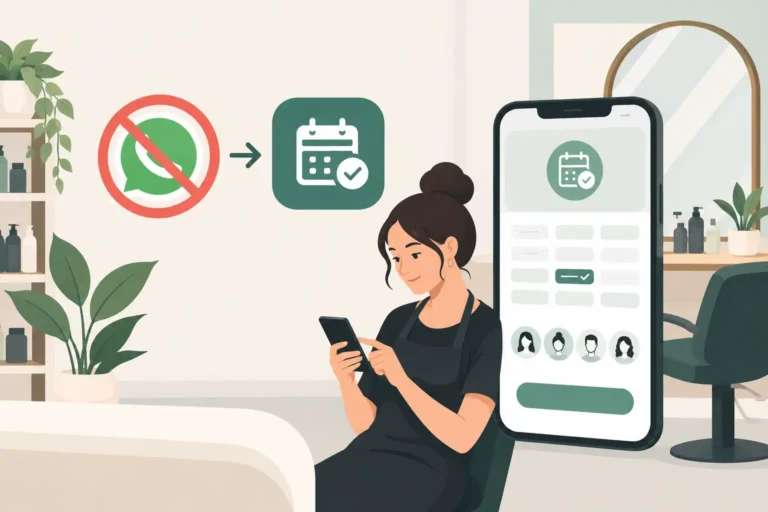
A client sends “Are you free Friday?” at 10.42pm. Another asks to move her appointment while you are with a client. By breakfast, there are 14 unread chats and one booking written on the wrong day. That is usually the moment salon owners start looking to replace WhatsApp for salon bookings.
WhatsApp is useful for quick conversations, before-and-after photos and the occasional client question. But it was not built to run a busy diary. Once bookings rely on chat messages, every appointment depends on someone spotting a message, checking availability, replying quickly and updating the calendar correctly.
A dedicated salon booking system changes that. Clients can see available times and book for themselves, while your diary, staff schedules and client details stay in one place. It does not mean you have to stop using WhatsApp altogether. It means WhatsApp can return to being a communication tool rather than the place where your whole booking process lives.
Why WhatsApp starts to hold a salon back
The issue is not that WhatsApp is difficult to use. The issue is that it creates a booking process that is manual by default.
Every new appointment often involves several messages: the client asks for a day, you suggest a time, they ask about a different service, and then you confirm it. If you employ staff, you also need to know who is working, how long the service takes and whether the chair, treatment room or technician is actually free.
That work quickly adds up. It is especially costly when you are a sole trader, because replying to messages means taking attention away from the person in front of you. For a salon team, it can lead to inconsistent answers, missed messages and uncertainty about who is responsible for the diary.
WhatsApp also makes it easier for information to become scattered. A client’s colour formula, preferred barber, allergy note or previous cancellation may be buried in an old conversation. Finding it while a client is waiting is not a good use of anyone’s time.
The booking problems that usually appear first
Most businesses do not switch because of one dramatic failure. They switch because small problems become routine. Common signs include double-booked slots, appointments added to a paper diary late, staff asking for their schedules, clients assuming a message has been seen, and cancelled slots sitting empty because nobody has time to contact the right people.
There is also an expectation problem. A WhatsApp message feels immediate, even when you are off work. Clients may expect an answer in the evening, on your day off or during a fully booked Saturday. An online booking page gives clients a way to act without making you permanently available.
What to use instead of WhatsApp for salon bookings
For most UK salons, barbers and beauty professionals, the practical replacement is salon booking software with an online booking page. The goal is not simply to put a calendar online. It is to give clients a clear route to book while reducing the admin behind every appointment.
Look for a system that lets you set services, durations, prices where relevant, working hours and staff availability. Clients should only be offered appointments that genuinely fit the diary. If a haircut takes 30 minutes and a colour appointment takes two hours, the system should reflect that rather than leaving you to calculate gaps in a chat.
Automated booking confirmations and reminders matter too. They give clients a written record of what they have booked and help reduce forgotten appointments. No tool can prevent every no-show, but a reminder sent at the right time is far more reliable than remembering to message everyone manually.
Client records are another major advantage. Instead of searching old chats, you can keep useful appointment information alongside the client profile. This helps you offer a more consistent service, particularly when more than one team member sees the same client.
For businesses that regularly lose revenue to late cancellations, a waitlist is worth considering. When a slot opens up, you have a clearer way to identify clients who wanted an earlier appointment. Whether a waitlist is essential depends on your demand, but it can be particularly useful for popular evenings and weekends.
A simple way to replace WhatsApp for salon bookings
You do not need to change everything overnight. A gradual switch is usually easier for both staff and regular clients.
Start with your real booking rules
Before setting up software, write down how your diary actually works. Include your opening hours, days off, staff rotas, service lengths, buffers between appointments and any services that need a particular room or team member.
This step matters because online booking should follow your business rules, not create new confusion. If you need 15 minutes to tidy a treatment room, build that time into the schedule. If a junior stylist cannot be booked for every service, make that clear in the setup.
Put your core services online first
Begin with the appointments clients book most often. A barber might start with cut, skin fade and beard trim. A nail technician might begin with BIAB, gel manicure and removals. A hair salon could add cut and blow-dry before tackling more complex colour consultations.
You can keep unusual, high-value or consultation-led services handled manually at first if that suits your business. Online booking does not have to mean every service is bookable without a conversation. The point is to remove repetitive admin where the service and timing are predictable.
Tell clients where to book from now on
Use a short, consistent message rather than apologising for the change. For example: “You can now view available appointments and book online at any time. Please use the booking page for new appointments and changes where possible.”
Add the same direction to your social profiles and any client communications you already use. When someone messages asking for availability, reply politely with the booking instruction. It may take a few weeks for regulars to change their habit, but consistency makes the transition faster.
Keep WhatsApp for questions that genuinely need a conversation, such as whether a client needs a patch test or what to expect before a new treatment. Do not keep taking routine booking requests there simply because it feels familiar. That recreates the same admin you are trying to remove.
How salon booking software improves the working day
The biggest benefit is often not the online booking itself. It is the reduction in tiny interruptions.
When availability is visible, clients can book at 7am or 11pm without waiting for a reply. When staff schedules are in the system, fewer people need to ask who is working. When confirmations and reminders are automated, the diary is less dependent on someone remembering every follow-up.
It also gives you a more dependable view of the day ahead. You can see bookings, gaps, cancellations and client details in one working place instead of checking a diary, several chat threads and individual staff messages.
For a growing salon, this creates clearer ownership. Staff can focus on clients, while the booking process follows the same rules regardless of who is on shift. For an independent professional, it protects time outside appointments without making it harder for clients to book.
Choosing software without overcomplicating it
A large feature list is not always a better fit. The right system is one your team will use properly and your clients will understand quickly.
Check that it covers the basics you need: online bookings, staff schedules, client records, confirmations and reminders. If cancellations leave frequent gaps, look for waitlist support. Consider how easy it is to update services and availability yourself, because a system that needs constant outside help can become another admin task.
Pricing matters, particularly for independent professionals and smaller teams. Be clear on what you need now and what you may need as you add staff. A free plan can be a sensible way to test whether online booking suits your workflow before committing to a paid plan.
UpTor is one option built for salons, barbers, nail technicians and beauty professionals who want a straightforward way to manage online bookings, staff schedules, client records, reminders and waitlists. It is designed for businesses that need practical control of the diary rather than complicated software.
Keep WhatsApp, but give it a better job
Replacing WhatsApp for bookings does not mean cutting off a channel that clients like using. It means setting a boundary around it. Use it for service questions, personal follow-ups and the occasional issue that needs a human response. Let your booking system handle availability, confirmations, schedule changes and the record of what was booked.
That distinction makes the client experience clearer too. Clients know where to find an appointment, and you know where to find the truth about your diary. Start with your most common services, guide clients towards online booking, and give the new process a few weeks to become normal. The result is not less personal service. It is more time to provide it.