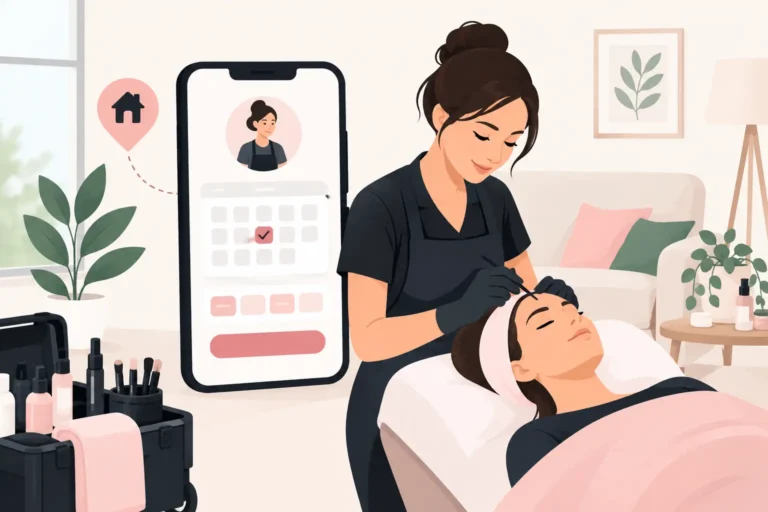
A client messages at 10pm asking for Saturday, another wants to move a lash appointment, and you are trying to work out whether a new address fits between two existing visits. For a mobile professional, online booking for mobile beauticians is not just about letting clients choose a time. It is about protecting the route, the diary and the hours you can actually sell.
A paper diary, social media messages and text confirmations can work when you have a handful of regulars. They become difficult to manage as your client list grows. Double bookings, forgotten travel time and last-minute gaps soon eat into a working day that already includes driving, setting up and packing away.
The right booking system gives clients a clear way to book while keeping the important decisions in your hands.
Why mobile beauty bookings need different rules
A salon can usually offer appointments back-to-back in one place. A mobile beautician cannot. Every booking affects the next one because location matters as much as treatment length.
If a brow appointment takes 30 minutes but the journey to the next client takes 25 minutes, it is not really a 30-minute slot. The same applies when a client lives outside your usual area, has difficult parking, or needs a longer consultation before a treatment. Online availability needs to reflect the real shape of your day, not an idealised version of it.
This is why a calendar that merely displays open times is rarely enough. You need a system that supports sensible availability rules, lets you control your working hours and helps clients receive the information they need before you travel.
Set up online booking for mobile beauticians around your route
Start by deciding what you want clients to book without contacting you first. For many independent beauticians, that means established treatments with predictable timings, such as nails, waxing, facials or lash infills. New clients, bridal work and treatments that require a consultation may need a separate booking rule or a manual approval process.
Build travel time into availability
Do not fill every hour of the calendar with treatment time. Leave realistic gaps for travelling, finding parking, setting up and the occasional appointment that overruns. The right amount depends on your area. A compact town route may need little extra time, while rural appointments or city-centre visits may need much more.
Some professionals group bookings by location. You might make Tuesdays available for one side of town and Thursdays for another, rather than zig-zagging across the area all week. Clients still get convenient online options, but you avoid turning a profitable day into hours behind the wheel.
If you cover several postcodes, be clear about the area you serve before a client books. It is better to set expectations early than to negotiate travel arrangements after the appointment is in the diary. If you charge a travel fee beyond a certain radius, explain when it applies in your booking information.
Make services and durations accurate
Your service menu should be easy for clients to understand and accurate enough for your diary to work. Use familiar names, state what is included and set durations based on your actual appointment times rather than the quickest possible result.
Avoid offering every variation as a separate online service if it makes the menu confusing. For example, a client may be able to choose a standard manicure, gel manicure or removal and reapplication, then add a simple extra where appropriate. The aim is to reduce back-and-forth messages without giving clients so many choices that they book the wrong service.
Review timings after a few weeks. If a treatment consistently takes longer in clients’ homes than it does in a salon, adjust it. Mobile work has its own practical realities.
Keep your availability under your control
Online booking should not mean opening your entire diary. Set the days and hours you want to work, block out personal commitments and leave time for stock, cleaning and admin. You can also decide how far ahead clients may book.
A shorter booking window can suit a mobile business with changing family commitments or seasonal demand. A longer one may work better if you have regular clients who plan appointments well ahead. There is no single right setting. The useful approach is the one that gives clients enough choice without making you feel committed to a route you have not planned yet.
Reduce no-shows before you leave home
A no-show costs a mobile beautician more than an empty slot. You may have travelled to the address, carried equipment and lost time that cannot easily be resold. Clear booking policies and timely communication can reduce the chance of that happening.
Send an appointment confirmation when the booking is made, then a reminder before the visit. The reminder should make it easy for the client to check the date, time, address and treatment. It is also a useful prompt for them to mention access details, parking restrictions, pets or anything else that could affect the appointment.
Your cancellation policy needs to be plain and visible. State how much notice you require and what happens when a client cancels late. Be consistent, but leave room for judgement. Long-standing clients dealing with a genuine emergency are different from repeated last-minute cancellations.
Client records also make communication more useful over time. Notes on preferred treatments, sensitivities, access instructions and previous appointments mean you spend less time searching through old messages. They can also help you provide a more personal service without relying on memory alone.
Use cancellations to protect the day
Cancellations are part of beauty work. The goal is not to eliminate them completely, but to make a vacant slot easier to fill.
A waitlist can help when clients want an earlier appointment or have limited availability. Instead of keeping a mental list of people who said they were free “any time this week”, you have a clearer way to contact interested clients when a space opens. This works particularly well for popular evening and weekend slots.
Not every cancelled appointment is worth filling. A 45-minute gap on the other side of town may cost more in travel time than it brings in. Consider whether a replacement booking fits the route, whether you can move another appointment, or whether the gap is better used for admin and preparation. Good scheduling is about profitable time, not simply a packed calendar.
What to look for in a booking system
When comparing salon booking software for a mobile beauty business, focus on the everyday jobs that create the most friction. A polished booking page matters, but it should not come at the expense of practical diary control.
Look for a system that lets you manage appointments, client records and service durations in one place. Automated confirmations and reminders can save repetitive admin and support your no-show policy. Staff scheduling matters if you work with another therapist, rent space occasionally or plan to grow beyond working alone. A waitlist is useful if cancellations regularly leave holes in your week.
Cost is also worth considering carefully. A free plan can be a sensible starting point if you are moving from messages and a paper diary. Check which features you need now, what may be needed later, and whether the system feels straightforward enough to use between appointments. Software should reduce your admin, not create another task to learn.
UpTor is one option for UK beauty professionals who want online bookings alongside appointment management, client records, staff schedules, automated reminders and waitlists. It offers a free plan, which can make it practical to test whether a more organised booking process suits the way you work.
Make the client journey feel clear
Clients booking a home visit often have more questions than clients visiting a salon. Tell them what to prepare, how long the appointment is likely to take and what you need from them before arrival. A short booking description can prevent avoidable surprises.
For example, a nail client may need a clear table near good light. A lash client may need a quiet space where they can lie comfortably. If parking is limited, ask for the relevant details in advance. These small requests protect your time and help the appointment run smoothly.
It also helps to explain when you will confirm your arrival time. Mobile appointments can be affected by traffic and a previous treatment running over. Most clients are understanding when they know what to expect. Silence is what creates uncertainty.
Review the diary, not just the number of bookings
At the end of each week, look beyond how full the calendar was. Which areas created the most travel? Which services were most profitable once journey time was included? Where did cancellations happen, and were reminders sent at the right time?
You may find that a small change makes a noticeable difference: moving one area to a dedicated day, increasing a treatment duration by 15 minutes, or no longer offering a low-value service far from your usual route. Online booking gives you better structure, but it works best when you adjust the rules based on what the diary is telling you.
A well-run mobile beauty diary should leave room for the work that matters: arriving prepared, giving clients your full attention and finishing the day without a pile of messages waiting to be answered.