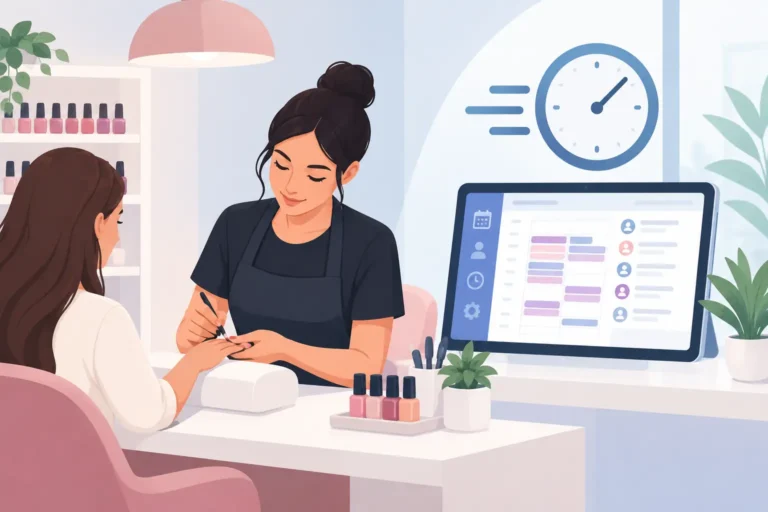
A missed call during a treatment should not mean a missed booking. Yet for many nail salons, appointments still arrive through Instagram messages, phone calls, texts and walk-ins, leaving staff to piece together the diary between clients. The right nail salon software gives clients a clear way to book while giving your team a more manageable working day.
This is not about adding technology for the sake of it. It is about reducing diary gaps, cutting repetitive admin and making it easier to give clients the prompt, professional service they expect. For an independent nail technician, that may mean fewer late-night booking messages. For a busy salon with several nail artists, it can mean fewer clashes, clearer rotas and better visibility of every appointment.
What nail salon software should solve
A booking system needs to reflect how a nail business actually operates. Treatments vary in length, appointments may need different team members, and a client booking a BIAB infill has different requirements from someone coming in for a full set with detailed nail art. If your diary does not account for those differences, online booking can create as many problems as it solves.
Good software lets you set up your services with accurate durations, assign them to the right staff members and show availability based on real working hours. Clients can book when the salon is closed, while you retain control over which services, people and times are available.
It should also reduce the back-and-forth that drains time from the day. Rather than answering “Have you got anything on Thursday?” repeatedly, clients can see suitable slots themselves. That is useful even when a receptionist is on the front desk, because it leaves them free to welcome clients, manage enquiries that need a human answer and keep the salon running smoothly.
Online booking should feel simple for clients
A complicated booking journey can put people off before they have chosen a time. Keep the choices clear: service, preferred staff member where appropriate, date and time. Avoid creating a long list of similarly named treatments that clients cannot distinguish.
Review your service menu before moving it online. Use names clients recognise, write short descriptions where they help, and make sure durations are realistic. If an appointment normally includes soak-off or consultation time, build that into the booking rules rather than hoping there will be room on the day.
The features that matter most in a busy nail salon
Not every salon needs the same setup. A sole trader renting a chair has different priorities from a salon managing a team across six days a week. Still, a few functions make the biggest practical difference.
| Feature | Why it matters in a nail salon | | — | — | | Online booking | Lets clients book outside opening hours and reduces calls and messages. | | Calendar and staff scheduling | Shows who is working, what they can be booked for and where time is available. | | Client records | Keeps appointment history and useful notes in one place. | | Automated reminders and confirmations | Helps clients remember their appointments and gives them a chance to confirm. | | Waitlist | Makes it easier to offer newly available slots to interested clients. | | Cancellation management | Gives the salon a clearer view of changes instead of relying on scattered messages. |
Automated reminders are particularly valuable because no-shows are more than an inconvenience. A missed appointment can leave a gap that is too short to refill and takes income out of the day. Reminders will not prevent every no-show, but they reduce the chance that a client simply forgets and make it easier for them to get in touch in good time.
Client records also matter more than they first appear. A returning client appreciates not having to explain their preferences from scratch. Notes can help the team prepare for an appointment and maintain a more personal service, especially when a client sees different members of staff.
Choose software around your booking rules
Before comparing platforms, write down the rules that keep your diary profitable and manageable. This prevents a common mistake: choosing software because it looks polished, then discovering it cannot handle how your team works.
Consider whether clients can book any nail artist or only selected people. Decide how far ahead they can book, how much notice you need for a cancellation, and whether certain services need extra time between appointments. Think about whether a walk-in client can be added quickly without disrupting the rest of the schedule.
A salon offering only express manicures may prioritise fast turnover and simple availability. A studio focused on extensions, intricate nail art and longer appointments may need more careful service timings and staff allocation. Neither approach is better. The software should support your model rather than force you into someone else’s.
It is also worth looking at the staff view. Team members need to understand their day at a glance, including changes and client notes, without having to ask the owner to check every detail. Clear scheduling reduces confusion and makes last-minute adjustments less stressful.
How to reduce gaps caused by cancellations
Cancellations are unavoidable. The question is whether a cancelled 2pm appointment becomes dead time or an opportunity for someone else to book.
A waitlist is useful when clients are willing to take an earlier appointment, a preferred nail artist or a slot on a popular day. Instead of posting a last-minute opening and hoping somebody sees it, you can contact clients who have already shown interest. This is more targeted and less reliant on social media reach.
The process works best when your team keeps availability accurate. If a client cancels by phone, update the diary straight away. If a staff member changes their hours, adjust the schedule before online availability creates a booking you cannot honour. Small habits here protect the client experience.
You should also set expectations clearly. Confirmation messages and cancellation terms need to be easy to understand, not hidden in a lengthy paragraph. Clients are more likely to respect a policy when they see it early and receive reminders before their appointment.
Comparing nail salon software options
Many UK salon owners begin by looking at established names such as Fresha or Booksy. They can be suitable for some businesses, particularly where marketplace visibility is a priority. But it is sensible to look beyond brand recognition and assess the day-to-day fit.
Ask how the platform handles your own client relationships, your appointment rules and your team’s workflow. Check the plan structure, what is included at each level and whether you can start without committing to features you will not use. A system with a large feature list is not automatically the right choice if it takes too long to learn or creates extra work at the front desk.
UpTor is a practical option for UK beauty businesses that want online bookings, staff scheduling, client records, appointment reminders and waitlists in one straightforward platform. Its free plan can be a sensible starting point for independent professionals and smaller salons that want to test a better booking process without making the decision feel overly complicated.
The best choice depends on your salon. If most bookings come from loyal repeat clients, control and convenience may matter more than marketplace exposure. If you are building a new client base, you may weigh discovery tools differently. Be clear about the problem you are trying to solve first.
Set up your system without disrupting the salon
Switching to new software does not need to mean a chaotic week of rebuilding everything. Start with the essentials: working hours, staff availability, service names and durations. Then add your existing client details and upcoming appointments carefully.
Before sharing your booking link widely, test it as if you were a client. Book a short service, a longer service and an appointment with a specific nail technician. Check the confirmation wording, available times and whether the calendar reflects your real capacity. A short test catches issues before clients encounter them.
Introduce the new process clearly to regulars. Put the booking option in the places they already look, and explain that it is the quickest way to secure an appointment. Some clients will still prefer to call, especially at first, and that is fine. The aim is to make self-service booking an easy choice, not to make loyal clients feel pushed aside.
Give the team a simple process for checking the diary, recording changes and adding useful client notes. Consistency matters more than complicated procedures. When everyone treats the calendar as the single source of truth, fewer details fall through the cracks.
A good booking system should quietly earn its place in the salon: fewer interrupted treatments, clearer days and more chances to refill a cancellation. Start with the features that remove your biggest admin headache, then build from there as your business grows.